How to choose a 3D hologram fan?
1, What is 3D hologram fan and what is the advantage?
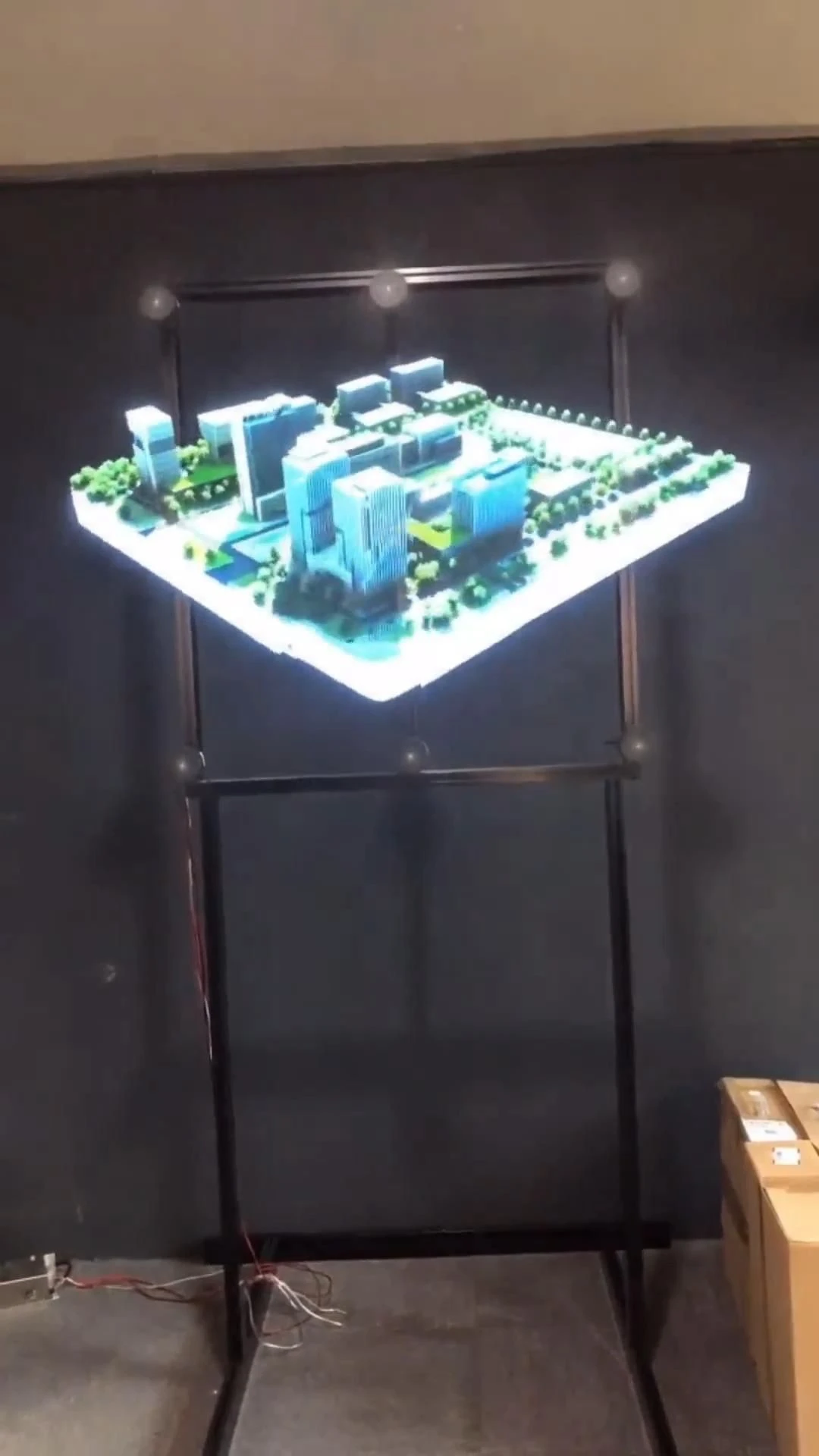
A 3D hologram fan is a device that uses a rotating set of LED lights to create the illusion of a three-dimensional image in mid-air. The fan spins rapidly, and as the lights flash in a specific sequence, they project images that appear to float and rotate in space, giving the effect of a hologram. This technology is often used for advertising, entertainment, and displays in various settings.
Advantages of 3D Hologram Fans:
Attention-Grabbing: The floating 3D images are visually striking and can attract attention more effectively than traditional displays.
Space-Saving: They require less physical space compared to traditional display screens, making them suitable for various environments.
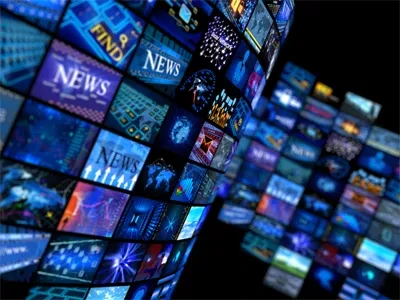
Dynamic Content: They can display animated content, which can enhance engagement and convey messages more effectively.
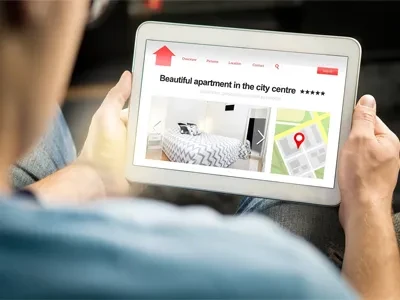
Versatility: These fans can be used in a variety of settings, including retail, events, exhibitions, and more.
Innovative Marketing: They offer a modern and futuristic way to present products or information, which can enhance brand image and customer experience.
Overall, 3D hologram fans provide a unique and engaging way to display information and products, making them a popular choice in marketing and entertainment.

2, When should you choose a 3D hologram fan?
Choosing a 3D hologram fan can be beneficial in various scenarios. Here are some situations when you might consider using one:
Marketing and Advertising: If you want to create eye-catching advertisements that stand out in crowded spaces, a 3D hologram fan can effectively draw attention to your brand or product.
Trade Shows and Exhibitions: For businesses participating in trade shows, a hologram fan can serve as a unique display that attracts visitors to your booth and showcases your products in an innovative way.
Retail Displays: In retail environments, using a hologram fan can enhance product displays, making them more engaging and informative for customers.
Events and Presentations: If you're hosting an event or giving a presentation, a hologram fan can add a dynamic visual element that keeps the audience engaged and enhances the overall experience.
Entertainment: For entertainment venues, such as theme parks or concerts, hologram fans can be used to create immersive experiences that captivate audiences.
Education and Training: In educational settings, hologram fans can be used to present complex information in a visually appealing way, making learning more interactive and effective.
Art Installations: Artists and designers can use hologram fans to create unique art installations that challenge traditional perceptions of space and form.
In summary, you should choose a 3D hologram fan when you want to create a memorable visual experience that captures attention and enhances engagement in marketing, events, education, or entertainment.
3, What the difference of 3D hologram fan Solo, desktop and wall?
The differences between Solo 3D hologram fans, desktop 3D hologram fans, and wall 3D hologram fans primarily relate to their design, intended use, and installation options. Here's a breakdown of each type:
1. Solo 3D Hologram Fan
Design: Typically a standalone unit that can be placed anywhere.
Use: Ideal for showcasing products or advertisements in various settings, such as retail stores, exhibitions, or events.
Installation: Easy to set up and move around as needed. It usually has a base that allows it to stand on its own.
2. Desktop 3D Hologram Fan
Design: Smaller and more compact, designed specifically for use on desks or tables.
Use: Suitable for personal use, small busineses, or office environments where space is limited. It can display information, products, or promotional content.
Installation: Requires minimal setup and is portable, making it easy to relocate as needed.
3. Wall 3D Hologram Fan
Design: Designed to be mounted on a wall, often with a more permanent installation. To catch eyes from the long distance, the size usually big and the fans are jointed with big quantities.
Use: Ideal for fixed displays in retail environments, exhibitions, or public spaces where a wall-mounted display is more appropriate.
Installation: Requires mounting hardware and may involve more complex installation compared to standalone or desktop models.
Summary
Solo 3D Hologram Fan: Versatile and portable, suitable for various settings.
Desktop 3D Hologram Fan: Compact and designed for use on desks or tables, ideal for personal or small business use.
Wall 3D Hologram Fan: Fixed installation for wall displays, big quantities and jointed many fans together into the big size, suitable for retail or public spaces.
Choosing the right type depends on your specific needs, available space, and how you plan to use the hologram fan.
4, When you want to choose a 3D hologram fan, what should you do?
When choosing a 3D hologram fan, consider the following steps to ensure you select the right one for your needs:
Define Your Purpose:
Determine the primary use of the hologram fan (e.g., marketing, education, entertainment, etc.).
Identify the type of content you want to display (static images, animations, videos).
Consider the Environment:
Assess where the hologram fan will be used (indoor, outdoor, retail space, trade shows, etc.).
Consider factors like lighting conditions, space availability, and audience size.
Select the Size and Type:
Choose the appropriate size based on the viewing distance and available space (solo, desktop, or wall-mounted).
Ensure the fan's dimensions fit well within your intended display area.
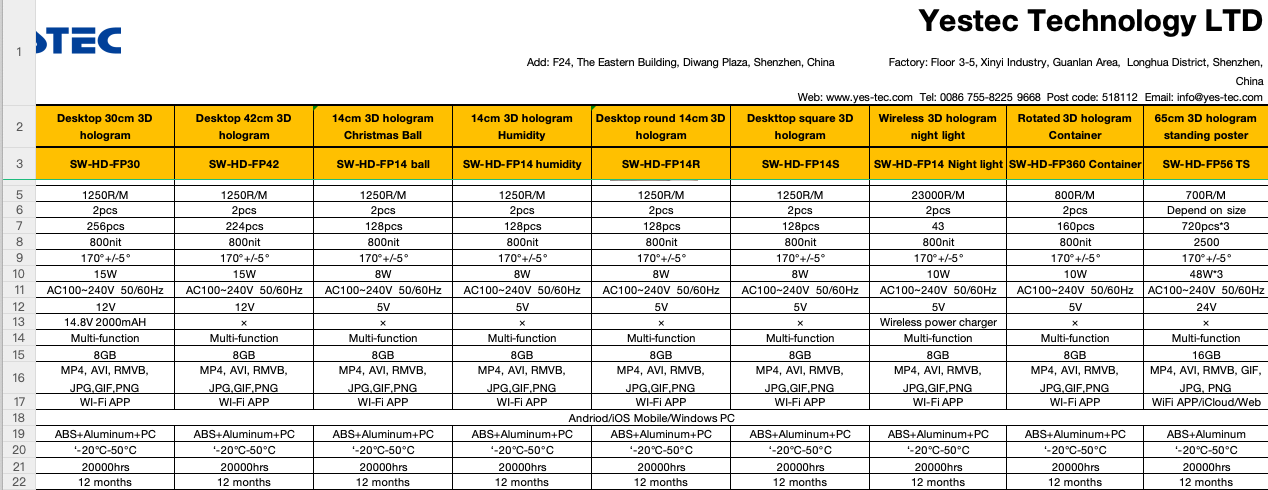
Check the Resolution and Quality:
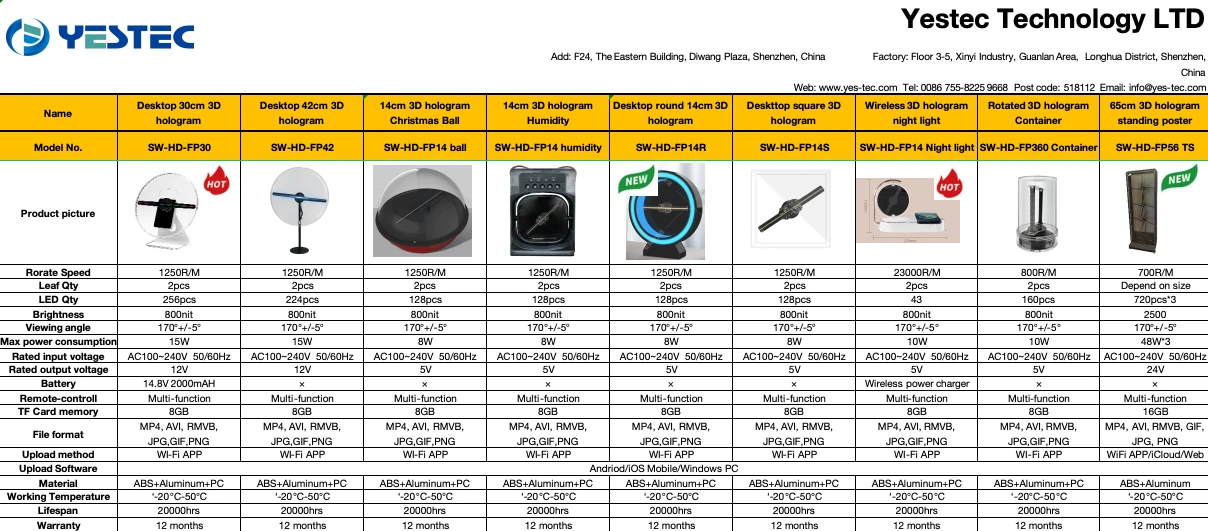
Look for a hologram fan with high resolution and brightness to ensure clear and vibrant images.
Read reviews or specifications to gauge the quality of the display.
Evaluate the Features:
Consider additional features such as remote control, Wi-Fi connectivity, or compatibility with different media formats.
Look for models that allow easy content updates and customization.
Assess the Budget:
Determine your budget for the hologram fan and compare options within that range.
Consider the long-term value and potential return on investment, especially for marketing purposes.
Research Brands and Models:
Look for reputable brands known for quality and reliability in hologram technology.
Read customer reviews and testimonials to gain insights into performance and user experience.
Check Warranty and Support:
Ensure the product comes with a warranty and reliable customer support in case of issues.
Verify the availability of replacement parts or service if needed.
Test Before Purchase:
If possible, see a demonstration of the hologram fan in action to evaluate its performance and visual appeal.
Check if the retailer offers a return policy in case the product does not meet your expectations.
By following these steps, you can make an informed decision when choosing a 3D hologram fan that best suits your needs and enhances your display or marketing efforts.
5, When you received the 3D hologram fan, what should you do?
When you receive your 3D hologram fan, follow these steps to ensure proper setup and operation:
Unbox Carefully:
Open the package carefully to avoid damaging the fan or any accessories.
Check for any visible signs of damage during shipping.
Check Contents:
Verify that all components are included as per the user manual or packaging list. This typically includes the fan, power adapter, remote control (if applicable), mounting hardware (for wall-mounted models), and user manual.
Read the User Manual:
Familiarize yourself with the user manual to understand the features, specifications, and setup instructions specific to your model.
Choose a Suitable Location:
Select an appropriate location for the fan based on your intended use (e.g., retail display, event, etc.).
Ensure the area has adequate space, lighting, and visibility for the hologram effect to be effective.
Set Up the Fan:
If it's a standalone model, place it on a stable surface. For wall-mounted models, follow the installation instructions to securely mount it.
Ensure the fan is positioned at the right height and angle for optimal viewing.
Connect Power:
Plug the fan into a power outlet using the provided power adapter.
Ensure that the power source is stable and meets the fan's voltage requirements.
Power On the Device:
Turn on the hologram fan using the power button or remote control.
Check that the fan is functioning properly and that the lights are operating as expected.
Upload Content:
If your hologram fan allows for content uploads, follow the instructions to load your desired images or videos.
Ensure the content is in the correct format and resolution for optimal display.
Adjust Settings:
Use the remote control or onboard settings to adjust brightness, speed, and other display options as needed.
Test different content to see how it looks and make adjustments accordingly.
Monitor Performance:
Observe the fan during its initial operation to ensure it runs smoothly without any issues.
Check for any unusual noises or malfunctions and refer to the user manual for troubleshooting if needed.
Maintain the Device:
Regularly clean the fan and ensure it is free from dust and debris to maintain optimal performance.
Follow any maintenance guidelines provided in the user manual.
By following these steps, you can ensure that your 3D hologram fan is set up correctly and operates effectively, allowing you to make the most of its capabilities.